
Meta Pixel Helper Has a New Name: Check Events Before Scaling Ads
Meta Pixel Helper is now Meta Ads Data Advisor. Match Facebook events to real purchases, check Purchase and CAPI data, and compare advertising accounts and BM at ADSWAR.
Contents(8)
- Meta Pixel Helper is now Meta Ads Data Advisor: do you need to reinstall?
- Which Facebook event matches your actual goal?
- How to check Facebook events on your website
- Purchase needs the real value, not just an event name
- Using Conversions API? Test the server connection and duplicate prevention
- Events appear, but the figures look wrong? Check these four points
- Common Meta Pixel Helper questions
- Check the events, then choose accounts and BM for your project at ADSWAR
You want buyers, but your website is only reporting clicks? Check whether your events match real customer actions before increasing your budget. Finding a Pixel or seeing a green indicator does not prove that purchases are measured correctly. This guide uses Meta Pixel Helper, now called Meta Ads Data Advisor, to check what fires, what is missing and whether the signal matches your goal.
Compare advertising accounts, prices and current stock at ADSWAR
Meta Pixel Helper is now Meta Ads Data Advisor: do you need to reinstall?
The extension has been renamed Meta Ads Data Advisor. Its developer is Meta Platforms, INC. Existing users should check for updates. New users should use the official Chrome Web Store listing and confirm that the publisher is Meta before adding it to Chrome.
The previous diagnostic capabilities remain. The listing also describes assistance with Pixel and Conversions API connections through supported platforms such as Google Tag Manager and Shopify, with user approval before changes. Review each proposed action. Installing the extension alone does not automatically complete tracking for every website.
Which Facebook event matches your actual goal?
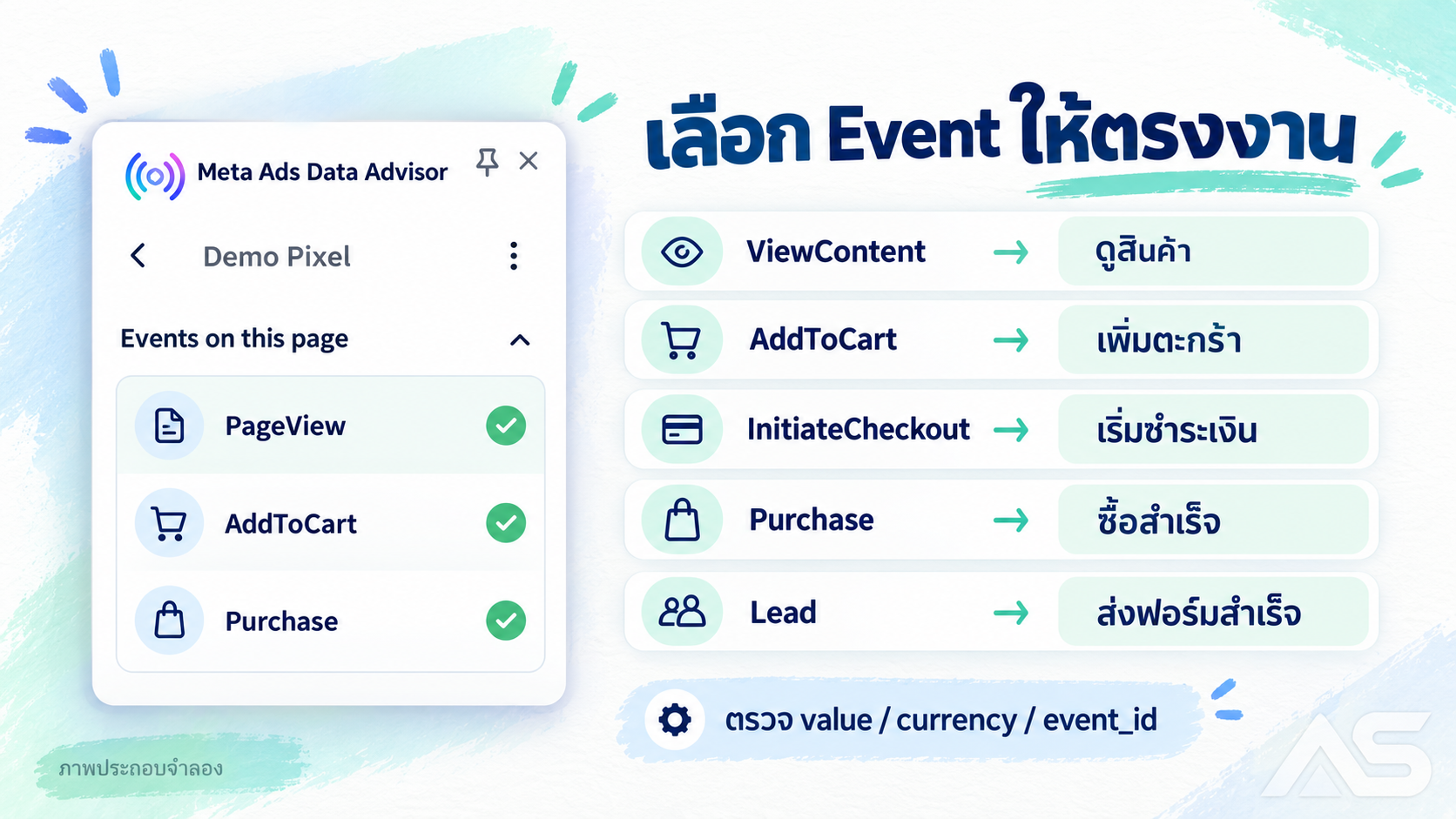
Decide what a completed customer action means, then match the event to that action. A click on a buy button is not necessarily a completed payment.
| Actual customer action | Event to check |
|---|---|
| Views product details | ViewContent |
| Successfully adds an item to the cart | AddToCart |
| Begins checkout | InitiateCheckout |
| Completes a purchase under the store’s confirmation rules | Purchase |
| Successfully submits a contact or enquiry form | Lead |
This is a practical mapping for checking an implementation. Define your business’s success point clearly. If orders are accepted before payment, distinguish pending orders from confirmed paid purchases, then align your event and campaign settings with that definition.
How to check Facebook events on your website
- Use Chrome on a computer. Install the official extension and pin it to the toolbar.
- Open the website you want to test, click the extension and identify the Pixels it finds. Check the identity, not just the count: it must be the Pixel used for this project.
- View a product, add it to the cart and begin checkout one step at a time. Compare the events with the actions above.
- Inspect the event details and available warnings, including missing parameters or unexpected event triggers. Menus can vary with the extension version and website.
- Test successful and cancelled paths. Clicking buy and leaving before completion must not count as a completed purchase just because the button was clicked.
If an event is missing, check the page, consent state, blockers and tracking load errors first. Investigate what actually happened rather than immediately blaming the advertising account.
Purchase needs the real value, not just an event name
For an example test purchase of 490 baht, value should be the number 490 and currency should be THB, following the amount your business intends to report. Do not include a currency symbol in the numeric value or reuse one fixed amount for every order. This shortened payload illustrates the fields; it is not a complete installation command.
{"event_name":"Purchase","custom_data":{"value":490,"currency":"THB"}}Compare product details, quantities and totals with the test order. Define consistently how discounts or shipping affect the reported amount. Refresh the success page as well: if it sends a new purchase for the same transaction, fix the trigger or duplicate prevention before relying on those numbers.
Using Conversions API? Test the server connection and duplicate prevention
The Pixel sends from the browser; Conversions API, or CAPI, sends from a server integration. A browser extension showing an event does not establish that server events arrived correctly. Open Events Manager → select the data source → Test Events and examine the relevant test activity. Labels may vary by account.
For CAPI tests, use the test_event_code from Test Events in the field supported by your integration. Check the event name, time and received data. If the same purchase is sent through both Pixel and CAPI, use matching event names and the same occurrence identifier: eventID in the Pixel and event_id on the server. Different purchases need different identifiers.
After checking receipt, verify duplicate handling and reconcile with actual sales. Successful delivery alone does not prove correct counting or guarantee that advertising reports match your order database exactly; processing and attribution rules also affect the reports.
Events appear, but the figures look wrong? Check these four points
- Wrong trigger: Purchase fires on the home page, a button click or a failed payment.
- Multiple installations: Website code, plugins and GTM send the same event more than once.
- Incorrect data: Sample values remain in place, currency is wrong or product details do not match the sale.
- Wrong destination: The website sends to one Pixel or dataset while the campaign uses another, or the selected event represents a different goal.
Follow one test transaction through its event timeline and fix one issue at a time. Buying another account does not repair incorrect event code, and installing a tool does not guarantee sales.
Common Meta Pixel Helper questions
Can I still search by the old name? Yes. Before installation, confirm that the destination is Meta Ads Data Advisor from Meta and that its extension identifier matches the official link in this guide.
Does a green indicator prove that ads will reach buyers? No. Check actual actions, event data and the campaign’s goal settings together.
Do I need CAPI to start checking? You can start with the browser Pixel. If you also use CAPI, test the server connection separately. The tool does not replace permission to access your website or data source.
Check the events, then choose accounts and BM for your project at ADSWAR
Shopping for an advertising account? Compare the specifications at ADSWAR without asking for every price individually. Read the delivered fields, current price and available stock, then select the model that fits your project.

Facebook Green Accounts (2–3 Lines)8
View all- Facebook Green Account (2-Line) | Created 2025 | 2FA Enabled | Ads Available | UID 6158xGreen check hiddenNo payment cardMost allow information changes+1UID|Password|2FA|Email|Email password|Recovery email95 accounts11 sold
THB 135
THB 155
- Facebook Green Account (2-Line) | Created 2025 | 2FA Enabled | Ads Available | UID 6157xGreen check hiddenNo payment cardMost allow information changes+1UID|Password|2FA|Email|Email password|Recovery email100 accounts19 sold
THB 159
THB 199
- Facebook Green Account (3-Line) | Created 2025 | 2FA Enabled | Ads Available | UID 6157xGreen check hiddenNo payment cardMost allow information changes+1UID|Password|2FA|Email|Email password|Recovery email62 accounts24 sold
THB 179
THB 199
View available advertising accounts and place your order
Need a BM for a business setup? Compare each listing’s limits and specifications before paying. Do not assume that every BM includes identical permissions or features.

BM (Business Portfolio)4
View all- Aged BM $50 Limit | Includes 20 Pages from 2023$50 limit20 pages from 2023 includedID|LINK32 accounts1 sold
THB 1,389
THB 1,689
- BM0 $250 Limit | No Ad Accounts Created$250 limitNo ad accounts createdID|LINK4 accounts
THB 2,189
THB 2,689
- BM1 $250 Limit | 1 Ad Account | Editable Details$250 limit1 ad accountID|LINKSold out
THB 2,689
THB 3,389
Compare BM models, current prices and stock
Read each product’s warranty. Most Facebook listings cover incorrect delivered information or specification mismatches present before use, not issues caused by later use. If you need help choosing, ask ADSWAR to compare the options before ordering.
Sources: Meta’s official extension listing, Meta SDK: Event, value and product fields and server event testing. Information checked on 18 October 2026.
Related posts
Back to Blog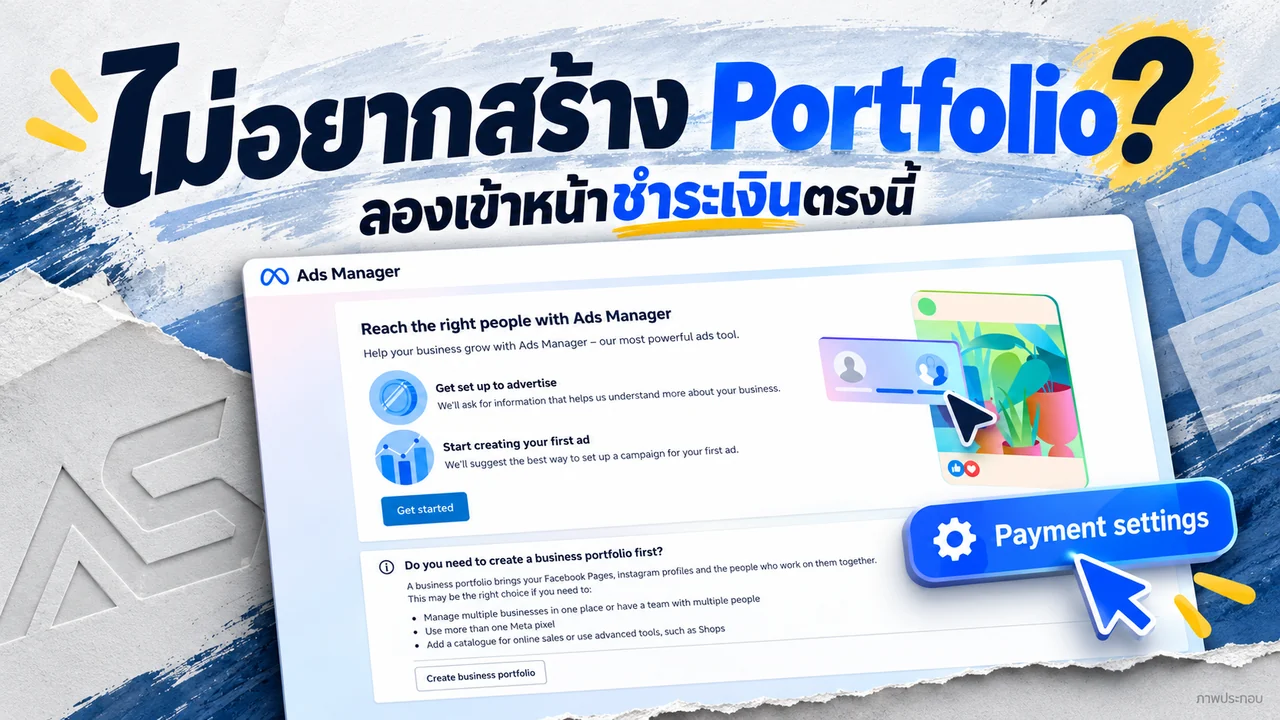
Facebook and business portfolios
Don’t want a Business Portfolio? Try opening your ad account here
Stuck at Business Portfolio setup? Try the direct Meta Payment Settings link, check its limits and compare ad account options at ADSWAR.

Facebook and business portfolios
Cannot change your Facebook password? Keep your project moving
Facebook blocking password changes on an unfamiliar device? Understand the notice, what waiting means and how to compare another account at ADSWAR.

Facebook and business portfolios
Hidden green Facebook checkmark in 2026? Read the access status
A green Facebook checkmark is missing? Read the restoration message, inspect each asset and compare current green-account specifications and stock.