
Hidden green Facebook checkmark in 2026? Read the access status
A green Facebook checkmark is missing? Read the restoration message, inspect each asset and compare current green-account specifications and stock.

Contents(12)
- What does “hidden checkmark” mean?
- What does an access-restored message establish?
- Why inspect assets after restoration?
- How to check without a visible tick
- Buy specifications rather than a colored icon
- Compare current green-account listings
- Need an ad account included?
- Frequently asked questions
- Does a missing tick always mean restored access?
- Can another verification request remain?
- Which green-account model should I choose?
- Will every ad be approved after purchase?
A “green” Facebook account with no visible checkmark in 2026? Read the current status message before judging the icon. If the system says advertising access has been restored, that describes restoration within the scope stated. If you are also comparing green-account listings, use the actual specifications and access offered below.
Compare current green-account prices and stock
What does “hidden checkmark” mean?
It is marketplace terminology for a screen where a green marker is not visible, not an official Meta account grade. A missing icon alone does not establish a restriction, restored access or complete permissions.
2026 is the year of this question, not proof of a universal interface change. We have not found an official announcement confirming that Meta hides every checkmark because access has been restored.
What does an access-restored message establish?
The supplied message discusses identity confirmation and restoration of previously restricted access. If that message is currently displayed in your actual account, read it as a restoration notice for the stated scope. Do not infer the outcome from the missing icon.
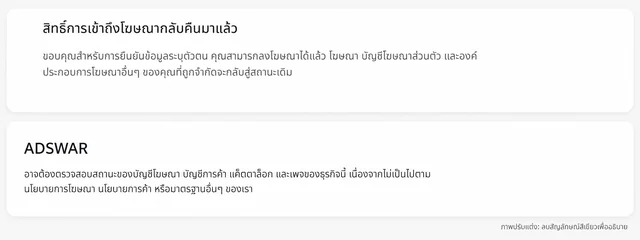
The illustration deliberately removes the green checkmark and border. It is not evidence of a real Meta interface rollout or the status of an individual product.
Why inspect assets after restoration?
Identify whether the notice concerns a profile, personal ad account or another component. Restoration in one area does not certify the business portfolio, Page, payments and every ad. The lower notice in the example also points to other assets that may need inspection.
A profile can have restored access while an intended ad account still has a beneficiary-verification task. Complete the task attached to that account rather than assuming a missing tick clears it.
How to check without a visible tick
- Open the actual account, not an old screenshot or another model's example.
- Read the full heading, message and restoration scope.
- Inspect the intended profile, ad account, business portfolio and Page through available status screens or Business Support Home.
- Look for outstanding verification, restrictions and payment tasks.
- Record the date and message; hide private details before sharing.
Buy specifications rather than a colored icon
Compare the stated year, readable email, 2FA, delivery fields, included assets and warranty. Two-line and three-line labels are not Meta quality certifications.
| Label or evidence | Check before buying |
|---|---|
| Hidden-checkmark label | Which status was checked, when and for which asset |
| Restoration message | Scope and outstanding tasks |
| Two or three lines | Year, email, 2FA and delivery format |
| Includes ad account | Actual access, minimum quantity and terms |
Compare current green-account listings
ADSWAR groups the models for comparison. Open the individual item to read the full terms. Tables load store data; checkout rechecks stock and the final amount.

Facebook Green Accounts (2–3 Lines)8
View all- Facebook Green Account (2-Line) | Created 2025 | 2FA Enabled | Ads Available | UID 6158xGreen check hiddenNo payment cardMost allow information changes+1UID|Password|2FA|Email|Email password|Recovery email154 accounts7 sold
THB 135
THB 155
- Facebook Green Account (2-Line) | Created 2025 | 2FA Enabled | Ads Available | UID 6157xGreen check hiddenNo payment cardMost allow information changes+1UID|Password|2FA|Email|Email password|Recovery email121 accounts2 sold
THB 159
THB 199
- Facebook Green Account (3-Line) | Created 2025 | 2FA Enabled | Ads Available | UID 6157xGreen check hiddenNo payment cardMost allow information changes+1UID|Password|2FA|Email|Email password|Recovery email80 accounts13 sold
THB 179
THB 199
Choose the specifications you need
Need an ad account included?
Do not assume every profile includes one. The following category contains both ad-account products and related services; select the relevant type.

Ad Accounts – THB 1,600–8,000 Limit3
View all- 1,000 accounts
THB 675
THB 990
- Facebook Account with Ad Account | THB 8,000 Limit | 2009–2024 | Minimum 5Charge cover <THB500; terms applyBeneficiary verifiedEmail receives verification codes+21,000 accounts
THB 2,299
price per account
- Facebook Account with Ad Account | THB 8,000 Limit | 2009–2024 | Minimum 1Charge cover <THB500; terms applyBeneficiary verifiedEmail receives verification codes+21,000 accounts
THB 2,499
price per account
See the beneficiary-verification guide for outstanding requests and the two-line versus three-line guide for listing terminology.
Frequently asked questions
Does a missing tick always mean restored access?
No. Inspect the actual current message and asset status.
Can another verification request remain?
Yes. Restoration of one item does not complete every task or cover all assets.
Which green-account model should I choose?
Compare checkable status and item-specific specifications rather than the label alone.
Will every ad be approved after purchase?
No. Ads, payments and account use remain subject to Facebook requirements. Purchasing does not remove an existing restriction.
Read the status, then choose the right model.
Related posts
Back to Blog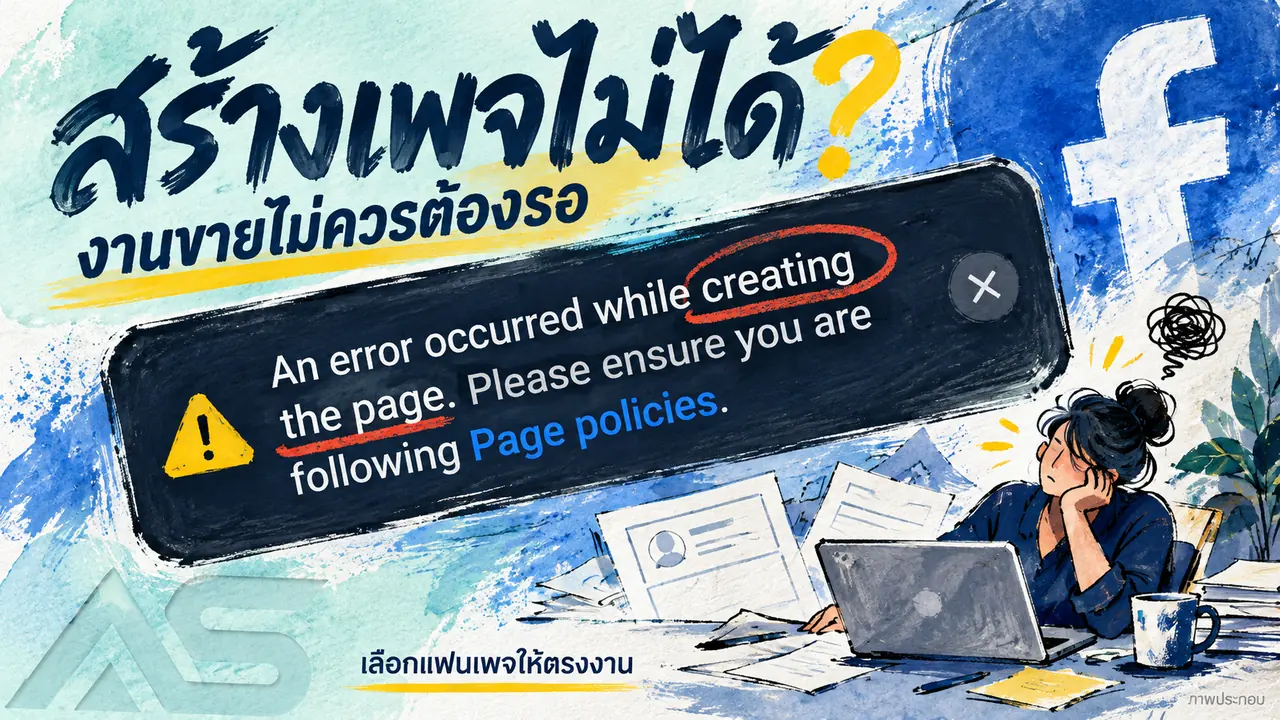
Facebook and business portfolios
Cannot create a Facebook Page? Check the error and compare Fanpages
Facebook Page creation shows a Page policies error? Check the message, account access and options, then compare Fanpage prices, stock and handover terms.

Facebook and business portfolios
Facebook cannot post? Keep work moving and compare account options
Distinguish Facebook app errors, removed posts and account restrictions. Check the status and compare new, aged and friend-count account listings.

Facebook and business portfolios
Facebook beneficiary and payer verification: what to check
Understand Facebook beneficiary and payer verification requests, check the affected ad account, prepare genuine information and review service terms.