
Cannot create a Facebook Page? Check the error and compare Fanpages
Facebook Page creation shows a Page policies error? Check the message, account access and options, then compare Fanpage prices, stock and handover terms.
Contents(12)
- What does the Page policies error actually say?
- Five checks when Facebook Page creation fails
- Create it yourself or compare existing Pages?
- Compare general Pages by year and budget
- Compare Thai Pages
- Check the access included before buying
- What to inspect when receiving a Page
- Frequently asked questions
- How many Pages can one Facebook account create?
- How long should I wait after a creation error?
- Can every purchased Page be renamed?
- Can I buy a Page instead of creating one?
Cannot create a Facebook Page? Do not let an unexplained error derail your plans. If the form returns a Page policies message, identify the actual problem before choosing between creating your own Page and buying a suitable existing Page. This guide includes the supplied error and live ADSWAR listings with prices and stock.
Compare available Facebook Pages
What does the Page policies error actually say?
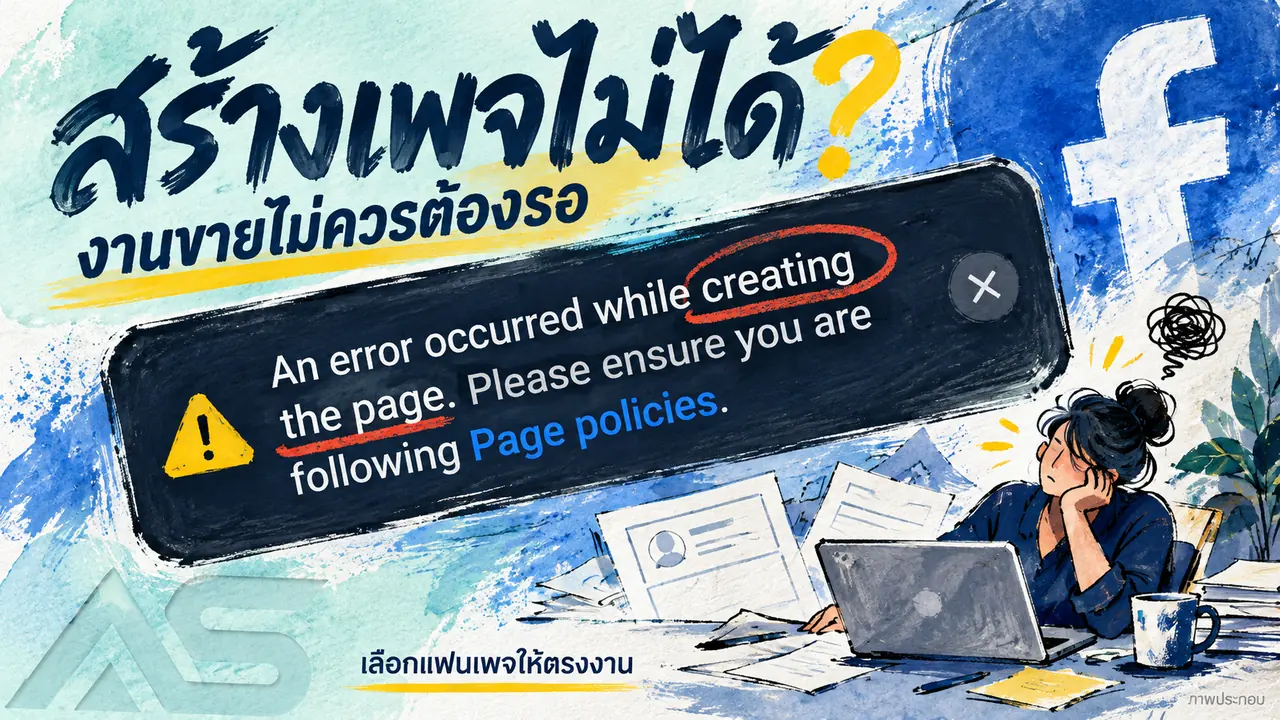
The supplied image says: “An error occurred while creating the page. Please ensure you are following Page policies.” This is a general error, not a specific diagnosis. It does not establish a permanent ban or prove that purchasing another account is necessary.
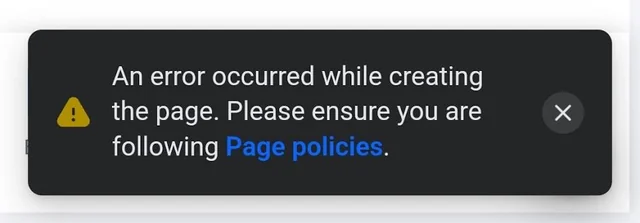
Record the exact message, proposed name and stage of failure. This example does not show a universal cause or waiting period.
Five checks when Facebook Page creation fails
- Check the Page name and business details against the guidance linked by the interface. Do not impersonate another business or person.
- Confirm the identity you are using and whether you are creating a Page, setting a username or renaming an existing Page.
- Inspect account restrictions and outstanding requests. Follow any relevant instructions first.
- Check the app version and connection. Where the action is permitted, the official website may help distinguish an interface issue. Avoid repeated submissions.
- Read the account-specific help message rather than assuming a fixed 24-hour delay or minimum account age.
A Page name and a username are separate. A creation error is not automatically a case of an unavailable username.
Create it yourself or compare existing Pages?
| Option | Prepare | Consider |
|---|---|---|
| Create your own Page | Suitable name, business information and permitted account access | An app or form problem may be fixable without buying anything |
| General Page listing | Model, stated year, access and handover method | Item-specific delivery and warranty terms |
| Thai Page listing | Country, stated followers and included assets | Followers do not guarantee reach or sales |
If you already intend to buy a Page, compare the actual specifications rather than its label alone. The tables load store data; checkout rechecks availability and the final amount.
Compare general Pages by year and budget
Start here if you do not specifically need the Thai follower specifications. Year, described status and conditions can vary. An “aged” or “restored” label does not replace checking the access you receive.

Standard / Reinstated Fanpages5
View all- Facebook Fanpage Created 2021 - 2022Check ends cover; no page holding298 accounts4 sold
THB 99
THB 199
- Reinstated Fanpage Created 2023-2024Check ends cover; no page holding269 accounts1 sold
THB 149
THB 199
- Reinstated Fanpage Created 2021-2022Check ends cover; no page holding269 accounts1 sold
THB 159
THB 299
Compare Thai Pages
Review the country and follower details in each listing. Inspect naming, advertising and handover conditions before paying. Features can still depend on your permissions and Facebook's review.

Thai Facebook Fanpages1
View all- Genuine Thai Facebook Page | Random Year | 1,000 Followers | Ads Enabled | Rename SupportedTHGenuine Thai page1,000 followersRandom creation year+38 accounts
THB 650
THB 999
Review Thai Page details and order
Check the access included before buying
A Page link is not the same as management access. Meta distinguishes Facebook access and task access; full-control users can manage other people's access. See Meta's Page-access guidance.
- Scope: Page only or an explicitly included account.
- Handover: required details, coordination and how to verify the access received.
- Current state: relevant restrictions or connected business arrangements within the checkable scope.
- Name and followers: neither any desired name approval nor sales are guaranteed.
- Warranty: start point, duration, coverage and exclusions.
For a specific livestream requirement, compare the livestream Page category and its minimum quantities separately.
What to inspect when receiving a Page
- Confirm the Page matches the order and agreed handover.
- Confirm the actual permissions without giving passwords or OTPs to unrelated people.
- Check the Page details and outstanding tasks before changing information.
- Keep order evidence and report issues within the applicable warranty period.
Purchasing a Page does not erase an existing account restriction or guarantee immediate access to every feature. Follow the account's requests and applicable policies.
Frequently asked questions
How many Pages can one Facebook account create?
Do not treat an unverified number as a guarantee for every account. Follow the capabilities and messages shown to your account.
How long should I wait after a creation error?
The example gives no waiting period. Follow an account-specific deadline if shown; address app or information issues when relevant.
Can every purchased Page be renamed?
Check the specific model and access. Facebook requirements and approval still apply to the requested name.
Can I buy a Page instead of creating one?
Compare it as an option when its permitted access fits your needs. It is not a guaranteed way to remove an existing restriction.
Choose a Page that fits the work, not just the error you saw.
Browse Page prices, stock and details
Related: Facebook posting problems and accounts with Pages checklist.
Related posts
Back to Blog
Facebook and business portfolios
Hidden green Facebook checkmark in 2026? Read the access status
A green Facebook checkmark is missing? Read the restoration message, inspect each asset and compare current green-account specifications and stock.

Facebook and business portfolios
Facebook cannot post? Keep work moving and compare account options
Distinguish Facebook app errors, removed posts and account restrictions. Check the status and compare new, aged and friend-count account listings.

Facebook and business portfolios
Facebook beneficiary and payer verification: what to check
Understand Facebook beneficiary and payer verification requests, check the affected ad account, prepare genuine information and review service terms.