
Facebook cannot post? Keep work moving and compare account options
Distinguish Facebook app errors, removed posts and account restrictions. Check the status and compare new, aged and friend-count account listings.

Contents(13)
- Which posting problem are you actually seeing?
- What the supplied account-status example does and does not show
- Five checks before repeatedly trying again
- Keep permitted work moving while you check
- Compare new, aged and friend-count listings
- Browse new-account options
- Need a stated friend-count range or an older account?
- Four things to check before paying
- Frequently asked questions
- Does every posting error mean a ban?
- Does removed-content history prove a complete posting restriction?
- Will another account guarantee successful posting?
- Which categories can I compare at ADSWAR?
Facebook will not let you post, and your work cannot wait. Before buying another account, distinguish an app error, a Page or group permission issue, and an account restriction. They require different responses. If you also need to compare accounts, this guide connects directly to ADSWAR listings with current prices and stock.
Compare current Facebook account listings
Which posting problem are you actually seeing?
| Symptom | First check |
|---|---|
| Upload hangs or a photo will not attach | Connection, app version, photo permissions and error text |
| Posting works elsewhere but not in a Page or group | Posting identity, permissions, group rules and pending approval |
| A feature restriction is explicitly shown | Its scope and any deadline in the actual account |
| A published post was removed | The decision reason and any available review option |
Disappearing text in a background post and a policy removal are not the same diagnosis. An app or upload problem may be fixable without buying anything.
What the supplied account-status example does and does not show
The example displays a profile warning and removed-content history. The second view lists removals under the stated prohibited-commerce reason. That is evidence of content-history entries, not a complete demonstration that all posting is currently restricted or when any restriction ends.

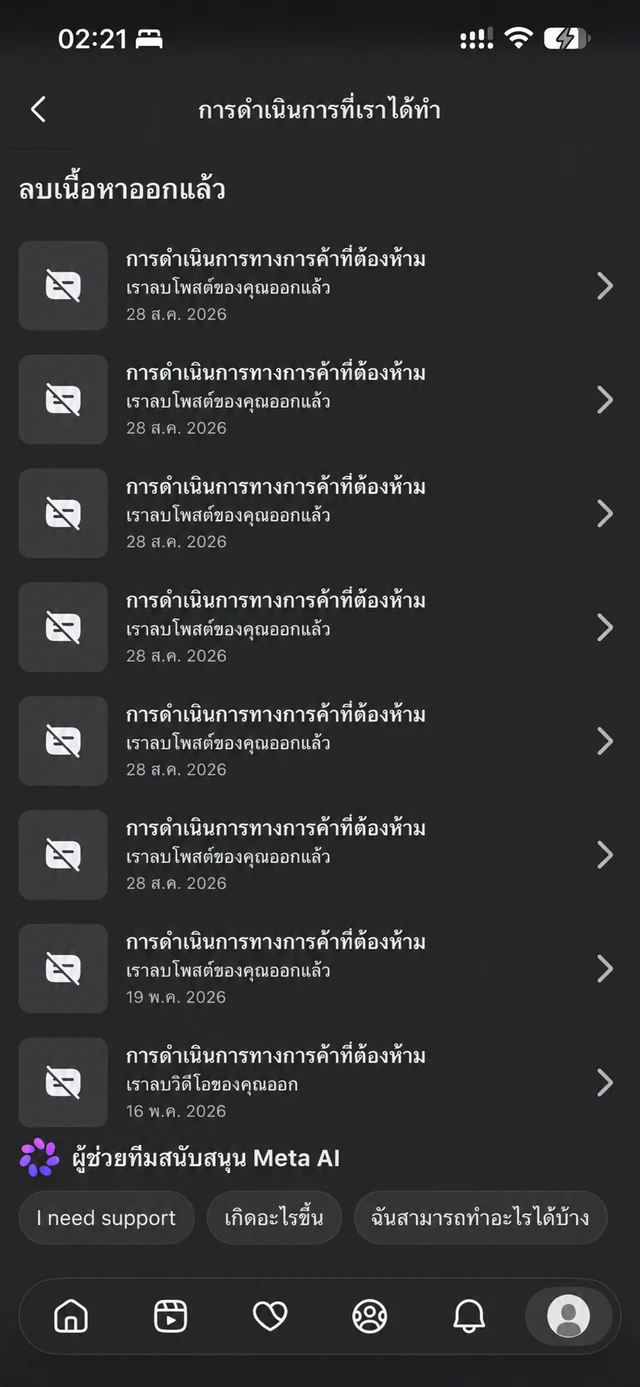
Do not convert a count of issues into a number of blocked days. Other features in the example have their own displayed statuses. Open the latest decision and read the current account-specific message.
Five checks before repeatedly trying again
- Record the exact message, action, destination and time. Hide personal details before sharing screenshots.
- Find Account Status in your app and inspect restrictions and outstanding tasks. Navigation can vary by version.
- Open the removed item and inspect the reason and any review option offered for that item.
- If no relevant restriction is shown, check the connection, app update and photo access. Where the action is permitted, comparing the official website can help separate an app problem; do not submit repeatedly.
- If there is a restriction, follow its instructions and available support options rather than assuming every case clears after 24 hours.
Meta describes an account-support assistant that can explain removals and follow-up options where available. Use in-app support; do not give passwords or OTPs to someone promising a guaranteed unlock.
Keep permitted work moving while you check
Prepare images, copy, product information and schedules offline. For a business Page, check whether another authorized administrator can perform their normal permitted duties. Do not share passwords or repost removed material through another account to evade a decision.
If you are considering an additional account for a permitted purpose, compare its actual specifications. Purchasing does not clear the original restriction, and another account remains subject to Facebook's rules. Changing accounts does not fix problematic content.
Compare new, aged and friend-count listings
| Category | Compare | Not a guarantee |
|---|---|---|
| New Facebook Clone | Price, country, email, 2FA and delivery fields | Unrestricted posting |
| Aged Facebook Clone | Stated year and item-specific conditions | Freedom from future restrictions |
| Accounts with friends | Friend-count range, country and included access | Reach or sales |
Pay for the specifications you need rather than an assumption. Open the listing to check email access, 2FA, minimum quantity and warranty. The tables load store data; checkout rechecks availability and the final total.
Browse new-account options
Compare each model's delivery fields and access. Email and 2FA are not identical across every listing.

Facebook Clone (New)6
View all- Facebook Clone Account | Random Country | 2FA Enabled | Created 2025 | TEMPMAIL.PLUSTEMPMAIL.PLUSUID|Password|2FA|Cookie|Token|Email3,898 accounts48 sold
THB 10
THB 20
- Facebook Clone Account | Random Country | 2FA Enabled | Created 2026 | HOTMAILHOTMAIL90% ad-account availabilityUID|Password|2FA|Cookie|Token|Email|Email password13,742 accounts30 sold
THB 15
THB 30
- Facebook Clone Account | Vietnam | 2FA Enabled | Created 2025 | TEMPMAIL.PLUSTEMPMAIL.PLUSUID|Password|2FA|Cookie|Token|Email28,706 accounts31 sold
THB 18
THB 28
Need a stated friend-count range or an older account?
Compare the friend-count listings below. If the stated account year matters, open the aged-account category. Neither age nor friend count replaces a current account-status check.
Facebook Clone (With Friends)11
View all- USA Facebook Clone Account | Created 2025 | UID 6157x | 2FA Enabled | tempmail.plus | Friends 300-10002FA includedtempmail.plusFriends 300–1000+1UID|Password|2FA|Cookie|Token|TempMail7,772 accounts59 sold
THB 39
THB 59
- USA Facebook Clone Account | Created 2025 | UID 6156 - 6157 | 2FA Enabled + Hotmail | Friends 0-1002FA includedHotmailFriends 0–100UID|Password|2FA|Cookie|Token|Email|Email password3,408 accounts52 sold
THB 39
THB 59
- USA Facebook Clone Account | Created 2025 | UID 6157x | 2FA Enabled + Hotmail | Friends 100-5002FA includedHotmailFriends 100–500UID|Password|2FA|Cookie|Token|Email|Email password35,446 accounts3 sold
THB 49
THB 56
Compare aged-account specifications
Four things to check before paying
- Included assets: profile only, or a Page/BM explicitly included.
- Access format: see the exact UID, password, 2FA and email fields; use our delivery-format guide.
- Warranty: start point, coverage and exclusions for that product.
- Required permissions: advertising access is separate from ordinary posting; see the green-account status guide.
Frequently asked questions
Does every posting error mean a ban?
No. App, network, permission and approval issues can also prevent a successful post.
Does removed-content history prove a complete posting restriction?
No. Inspect the effective restriction and the individual decision details.
Will another account guarantee successful posting?
No. Accounts and content remain subject to Facebook requirements. Products do not include a way around platform review.
Which categories can I compare at ADSWAR?
New accounts, aged accounts and accounts with stated friend counts, with item-specific details and current stock.
Diagnose the existing problem, then choose the specifications you actually need.
Related posts
Back to Blog
Facebook and business portfolios
Hidden green Facebook checkmark in 2026? Read the access status
A green Facebook checkmark is missing? Read the restoration message, inspect each asset and compare current green-account specifications and stock.
Facebook and business portfolios
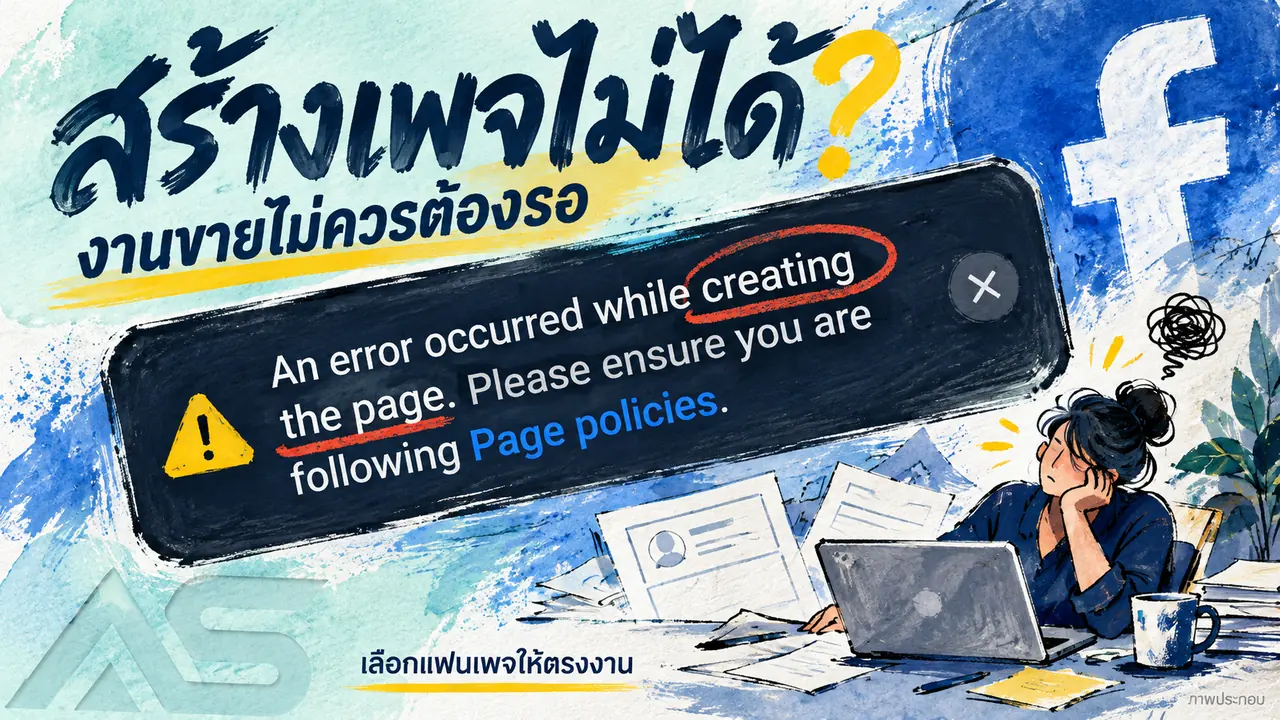
Cannot create a Facebook Page? Check the error and compare Fanpages
Facebook Page creation shows a Page policies error? Check the message, account access and options, then compare Fanpage prices, stock and handover terms.

Facebook and business portfolios
Facebook beneficiary and payer verification: what to check
Understand Facebook beneficiary and payer verification requests, check the affected ad account, prepare genuine information and review service terms.