
What is a Facebook UID? Can 1000x, 6157x or 6158x reveal account age?
What do Facebook UID prefixes 1000x, 6156x, 6157x and 6158x mean? Read product year examples, check account age and choose the right account specifications.

Contents(14)
- What is a Facebook UID, and why do product names say 1000x or 6157x?
- Which year does each UID prefix mean? Read the product examples correctly
- How can you check a Facebook account's age or creation year?
- How do you calculate account age when you have a creation date?
- Is a UID the same as a username? What about Page ID and BM ID?
- Is an older Facebook account always better for advertising?
- What to check before buying a Facebook account
- Choose the year and account specifications you need at ADSWAR
- Frequently asked questions about Facebook UID
- Which year is UID 6157 from?
- Does UID 6158 mean the account was created in 2026?
- Is every UID 1000x account old?
- Can a UID tell you the exact Facebook registration date?
- Can you share your UID with someone else?
Does UID 1000x prove a Facebook account is old? Does UID 6157x automatically mean it was created in 2025? A Facebook UID prefix alone cannot confirm the year an account was created. Check the year listed for the product alongside its account details before buying, so a table found online does not lead you to the wrong account type.
Updated 19 October 2026: ADSWAR lists UID 6157x products with both 2024 and 2025 year labels, while UID 1000x appears across several year ranges. An account identifier and an account's age need to be read separately.
What is a Facebook UID, and why do product names say 1000x or 6157x?
UID stands for User ID, a number used to identify a Facebook user. In a delivery format such as UID|PASS|2FA, the UID field contains the account's numeric identifier. A USER field on another product may contain a different kind of login information, so follow that product's field descriptions. The UID does not spell out a registration day, month and year.
Labels such as UID 1000x, UID 6156x, UID 6157x and UID 6158x show only the beginning of the number. The x stands for the remaining digits. Do not type an x into the login field; use the full UID supplied in the product's delivery format.
The example 6157xxxxxxxxxxx is a made-up number used to explain the format. Its number of x characters does not establish the length of every account ID, and matching prefixes do not mean two accounts are the same.
Which year does each UID prefix mean? Read the product examples correctly
The table uses calendar years in AD, as shown on the product pages, and reflects ADSWAR product labels on the update date. Use these examples to read product specifications, not as a formula for converting every Facebook UID into a creation year. A short prefix such as 6157 still has many digits after it.
| UID prefix | Example years listed in the shop | How to read it |
|---|---|---|
| 1000x | 2010-2015, 2010-2020, 2010-2023 and 2015-2020 | Products list several year ranges. Read the range on the product you want; do not assume every 1000x account was created in the same year. |
| 6156x | Some products list 2024. A 2025 product lists the UID range 6156-6157. | The prefix 6156 alone cannot reliably distinguish a 2024 account from a 2025 account. |
| 6157x | Products include both 2024 and 2025 year labels. | Check the year in the product name and description. UID 6157 does not always mean 2025. |
| 6158x | A product lists 2025. | This describes that product. It does not confirm that every UID 6158 account was created in 2025. |
A product may list a range such as 2010-2023. That does not mean every account in the range was created in 2010, or that you can choose any particular year. If you need a specific year, choose a product that lists it and check the conditions before paying.
How can you check a Facebook account's age or creation year?
For a better basis than guessing from a UID, check the information for an account you are authorized to access. Use Facebook's information access or download tools in Accounts Center. The menus and available information may differ by account and device. Meta explains how to access these tools in its guide to managing information in Accounts Center.
- Sign in to your own account, then open Accounts Center or the section for managing your Facebook information.
- Select the correct Facebook profile, especially if you have several profiles or a linked Instagram account.
- Review the information Facebook provides, or request a download of your account information. Check whether it explicitly lists when the account was created or first joined.
- If a creation date is shown, use the date stated by the system. If you only find an old post or the earliest remaining activity, treat it as supporting information.
The oldest remaining post may have been made long after registration, and some posts may have been deleted. The date of the first photo upload, or the date you started using an account, therefore may not match its creation date. If a product only lists a year, use that year without inventing a registration date or a completed age in years. A birthday on a profile concerns the person's age. Page and ad account creation years also need to be kept separate from the profile's creation year.
A product labeled 2025-2026 refers to that product's year range. Before buying, read what it includes and whether choosing a year is an option. A similar UID on another account does not change the listed range.
How do you calculate account age when you have a creation date?
Count from the creation date to the date you are checking. For a hypothetical example, if an account's information states that it was created on 19 October 2024, it is exactly 2 years old on 19 October 2026. If you only know it was created in 2024, without the month and day, state the known creation year instead of claiming every such account has completed 2 years.
Is a UID the same as a username? What about Page ID and BM ID?
A username appears in a profile link, such as facebook.com/username. Facebook provides separate instructions for finding or changing a username. A UID is a numeric user identifier. Check which type of information a system is asking for before entering it, particularly when working with Pages or ad accounts.
| Identifier | What it identifies | Common mix-up |
|---|---|---|
| UID or User ID | A Facebook user or profile in the context of the system using the identifier. | Do not substitute it for a Page ID or an ad account ID. |
| Page ID | A Facebook Page. | A Page ID does not tell you how old an administrator's profile is. |
| BM ID or Business ID | A business portfolio in Meta's system. | Having a BM does not mean a user account meets every advertising requirement. |
| Ad account ID | An advertising account. | Check the ad account's age and spending limit separately from the profile's year. |
If you are unsure how to read delivered account fields, check the USER, PASS, 2FA, TOKEN and account delivery format guide before signing in. It explains the difference between an account password, an email password and 2FA information.
Is an older Facebook account always better for advertising?
Account age alone cannot guarantee advertising access. An old account may have restrictions, and a product with a more recent year still needs its status and conditions checked. UID 1000x does not guarantee that an account can advertise, will never face a security check, or can have its details changed immediately.
If you need advertising access, read the product's stated advertising status, whether it includes an ad account or BM, and what any listed limit applies to. Read about two-line and three-line green Facebook accounts before choosing, rather than buying only because a UID looks old.
What to check before buying a Facebook account
- Check that the UID label and year match between the name and description. If you need a specific year, do not choose a broad range and expect that year to be guaranteed.
- Read what is included, such as 2FA, an email address and an email password. A product that only includes an email address does not necessarily include access to its inbox.
- Check the listed advertising status, ability to accept Pages or BM access, and product restrictions. Do not infer them from the UID.
- Read the minimum purchase quantity, delivery format and conditions for reporting problems before use, especially incorrect information encountered on the first login.
- Keep passwords, email access and 2FA information private. Do not enter a complete set of login details into an unfamiliar UID checker.
Choose the year and account specifications you need at ADSWAR
For a green Facebook account intended for advertising work, browse ADSWAR's two-line and three-line green Facebook accounts and compare the listed years, 2FA and advertising status. If you specifically want a product with an older year range, see the aged Facebook Clone category and read what is included before buying.
Choose the product that fits your work. If you are unsure how two UID variants differ, send ADSWAR the product names for help checking the details before payment. Choose based on the listed year and the access you need.

Facebook Green Accounts (2–3 Lines)8
View all- Facebook Green Account (2-Line) | Created 2025 | 2FA Enabled | Ads Available | UID 6157xGreen check hiddenNo payment cardMost allow information changes+1UID|Password|2FA|Email|Email password|Recovery email433 accounts19 sold
THB 135
THB 155
- Facebook Green Account (2-Line) | Created 2025 | 2FA Enabled | Ads Available | UID 6158xGreen check hiddenNo payment cardMost allow information changes+1UID|Password|2FA|Email|Email password|Recovery email257 accounts24 sold
THB 159
THB 199
- Facebook Green Account (3-Line) | Created 2025 | 2FA Enabled | Ads Available | UID 6157xGreen check hiddenNo payment cardMost allow information changes+1UID|Password|2FA|Email|Email password|Recovery email297 accounts63 sold
THB 179
THB 199

Facebook Clone (Aged)1
View all- Facebook Account, Random Country | Very Old | Created 2015-2020 | UID 1000x | 2FA Enabled | HOTMAIL | Friends 300-1000 | Ad Accounts Available 90%UID 10005-10009Very old accountUID|Password|2FA|Cookie|Email|Email password844 accounts200 sold
THB 99
THB 199
Frequently asked questions about Facebook UID
Which year is UID 6157 from?
The prefix 6157 alone cannot confirm a creation year. ADSWAR has UID 6157x products labeled both 2024 and 2025. Check the year on the product you want alongside its account details.
Does UID 6158 mean the account was created in 2026?
You cannot make that assumption. The shop has a UID 6158x product labeled 2025. If you need a 2026 account, look for a product that states 2026 instead of guessing from the prefix.
Is every UID 1000x account old?
The shop has UID 1000x products with several listed year ranges. The prefix alone cannot confirm the actual age or current status of every account. Check the product and its account information before use.
Can a UID tell you the exact Facebook registration date?
The prefix alone cannot. For an exact registration date, check the information Facebook shows for that account. The earliest post or oldest photo cannot automatically be treated as the registration date.
Can you share your UID with someone else?
Use a UID when you need to identify an account correctly, while keeping it separate from login credentials. Do not send passwords, 2FA verification codes or a complete set of login details to anyone who does not need access.
Related posts
Back to Blog
Facebook and business portfolios
Can't log in to Facebook? Try clearing cookies first
Facebook shows Invalid request and you cannot log in? Follow these illustrated Chrome steps to clear cookies and cached files, then start signing in again. Check which data to keep before deleting anything.
Facebook and business portfolios
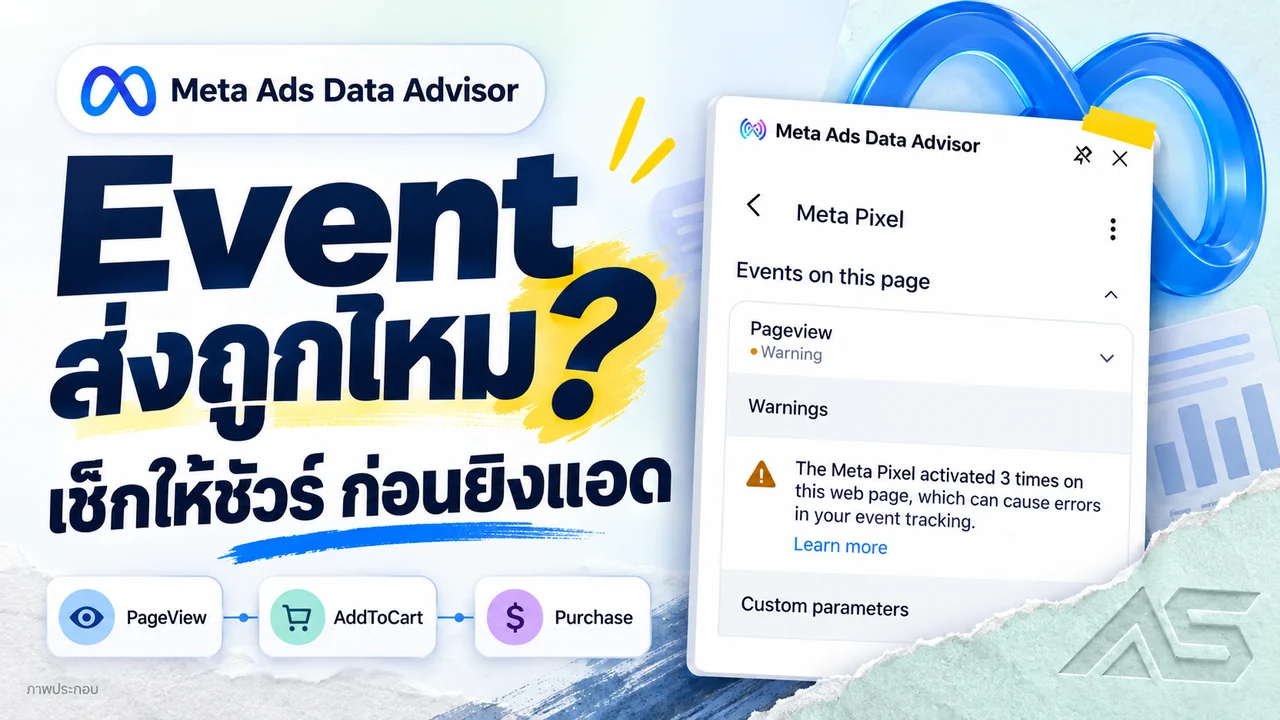
Meta Pixel Helper Has a New Name: Check Events Before Scaling Ads
Meta Pixel Helper is now Meta Ads Data Advisor. Match Facebook events to real purchases, check Purchase and CAPI data, and compare advertising accounts and BM at ADSWAR.

Facebook and business portfolios
Don’t want a Business Portfolio? Try opening your ad account here
Stuck at Business Portfolio setup? Try the direct Meta Payment Settings link, check its limits and compare ad account options at ADSWAR.